Review and enrich a dataset
Once you have uploaded a dataset into your project, you can open it to:
- Explore and summarize its data and columns.
- Manually add metadata that explains the data in each column.
- Automatically enrich metadata using documents in your dataset or without additional context.
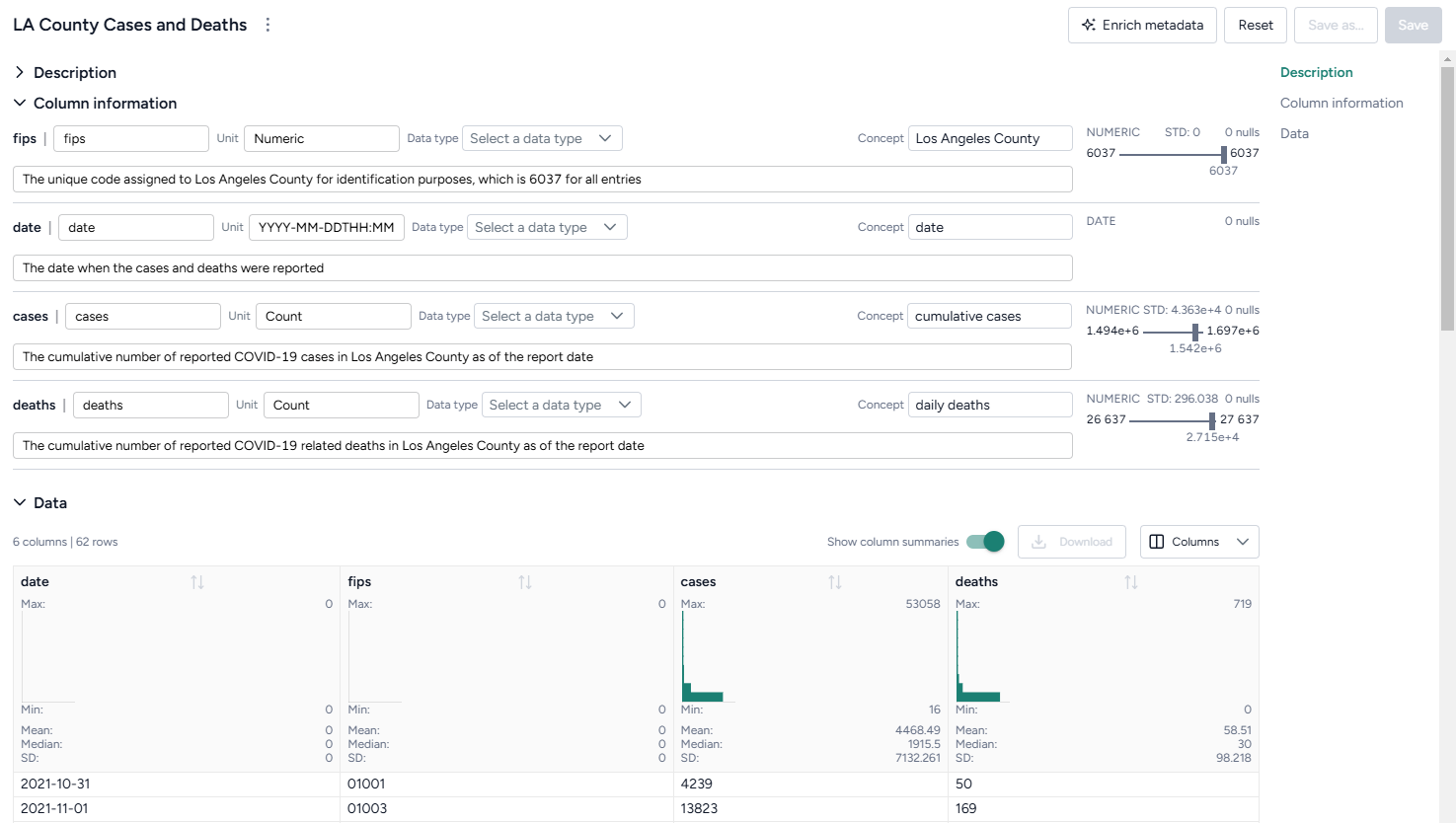
Review a dataset
To get an understanding of your data, you can open a dataset and review its columns and a selection of its rows. A dataset resource previews up to 100 rows of data.
Open a dataset
-
Perform one of the following actions:
- In the Resources panel, click the name of the dataset.
- On a Dataset node in the workflow graph, click Open.
View the raw data in a dataset
- Click Data in the navigation list on the right.
Download a dataset
- Next to the dataset name, click > Download.
Enrich a dataset
If your dataset lacks descriptive details about what each column contains, you can use Terarium's dataset enrichment capability to complete the:
- Units: What the column measures (dates, cases, people) or contains (text).
- Descriptions: A short plain language explanation of the column's contents.
- Concepts: Epidemiological concepts that relate to the data in the column. Helpful in mapping data to model variables.
- Distributions of values
Terarium's enrichment service uses an AI language model to generate column details based on either:
- Contextual clues in the contents of a document in your project.
- The column headers in the dataset. In this case, the language model attempts to define the columns as if they relate to a general epidemiological context.
Note
- Curating concepts improves structural comparison and alignment of models and data.
- If Terarium can't determine what a column represents, it fills out the description to summarize distribution of values it contains.
Enrich dataset metadata
- Click Enrich metadata.
-
Perform one of the following actions:
- To enrich metadata without selecting a document, click Generate information without context.
- To use a document, select the document title.
-
Click Enrich.
- Review the updated description and column information.
- Click Save.
Add or edit dataset metadata
- Edit the Name, Unit, Data type, Concept, or Description of any field.
- Click Save.